

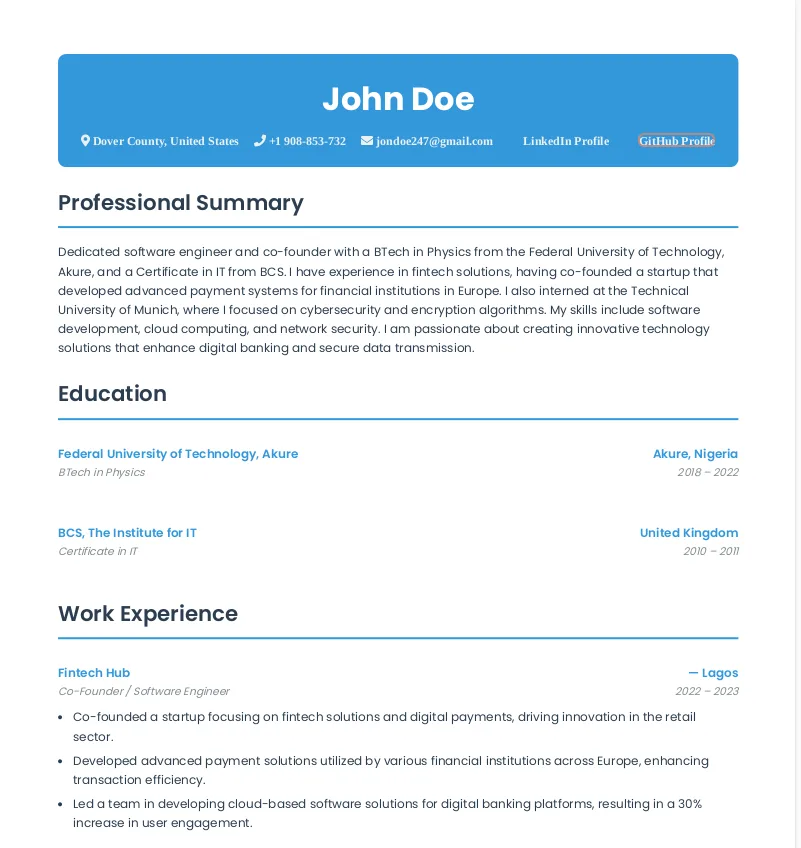
What is ResumeSet?
ResumeSet is an AI‑powered resume‑building tool designed for job seekers, emphasizing speed, intelligence, and affordability. Users simply paste the target job link, and the AI automatically extracts key requirements to craft a resume and cover letter perfectly aligned with those criteria. All templates are ATS‑optimized to avoid being flagged by screening systems, support JSON/PDF imports, offer watermark‑free PDF downloads at no cost, and require no credit card information throughout the process.
Key features
AI Resume Writing Assistant: Based on the user’s provided personal information, it automatically generates professional, tailored resume statements, solving the challenge of “not knowing how to articulate” one’s experience; it also helps convert past experiences into action-oriented highlights that recruiters love.
Custom Job Link Feature: Paste any job posting URL, and the AI will automatically parse the job requirements to generate a highly targeted, keyword‑aligned resume—ensuring efficient, one‑job‑per‑resume adaptation.
Use cases and audience
Job seekers, recent graduates, and professionals looking to refine their resumes
- Turn any job posting link into a customized resume with a single click, boosting your chances of passing ATS systems.
- Based on the user’s input, AI generates professional, customized resume content.
- Import a resume in JSON or PDF format to quickly start the editing and optimization process.
Job posting links, personal details (such as work experience, educational background, etc.), and existing resumes in JSON or PDF format
Customized PDF‑format resumes, along with accompanying personalized cover letters
Frequently asked questions
How does the AI writing assistant work?
AI automatically generates professional, customized resume content for each section based on the information provided by the user.
Can you edit the resume yourself after it’s generated by AI?
AI will generate a PDF-format resume; if editing is required, it must first be converted into an editable format.
How to use
- 01
Visit the official ResumeSet website and click “Create My Resume” to begin.
- 02
Paste the link for your target position and select the “Tailored resume” option.
- 03
Enter your personal information, and the AI writing assistant will automatically generate professional resume content.
- 04
Download your watermark-free PDF resume for free and use it directly when applying.
Pricing and availability
Completely free to use—no credit card required. You can create, edit, and download resumes at no cost, with no watermarks.
- Pricing source
- https://resumeset.com/
- Pricing last updated
- 2026-10-31
Prices and limits may change. Check the official website for current terms.
Official website & sources
Updated on 2026-10-31