
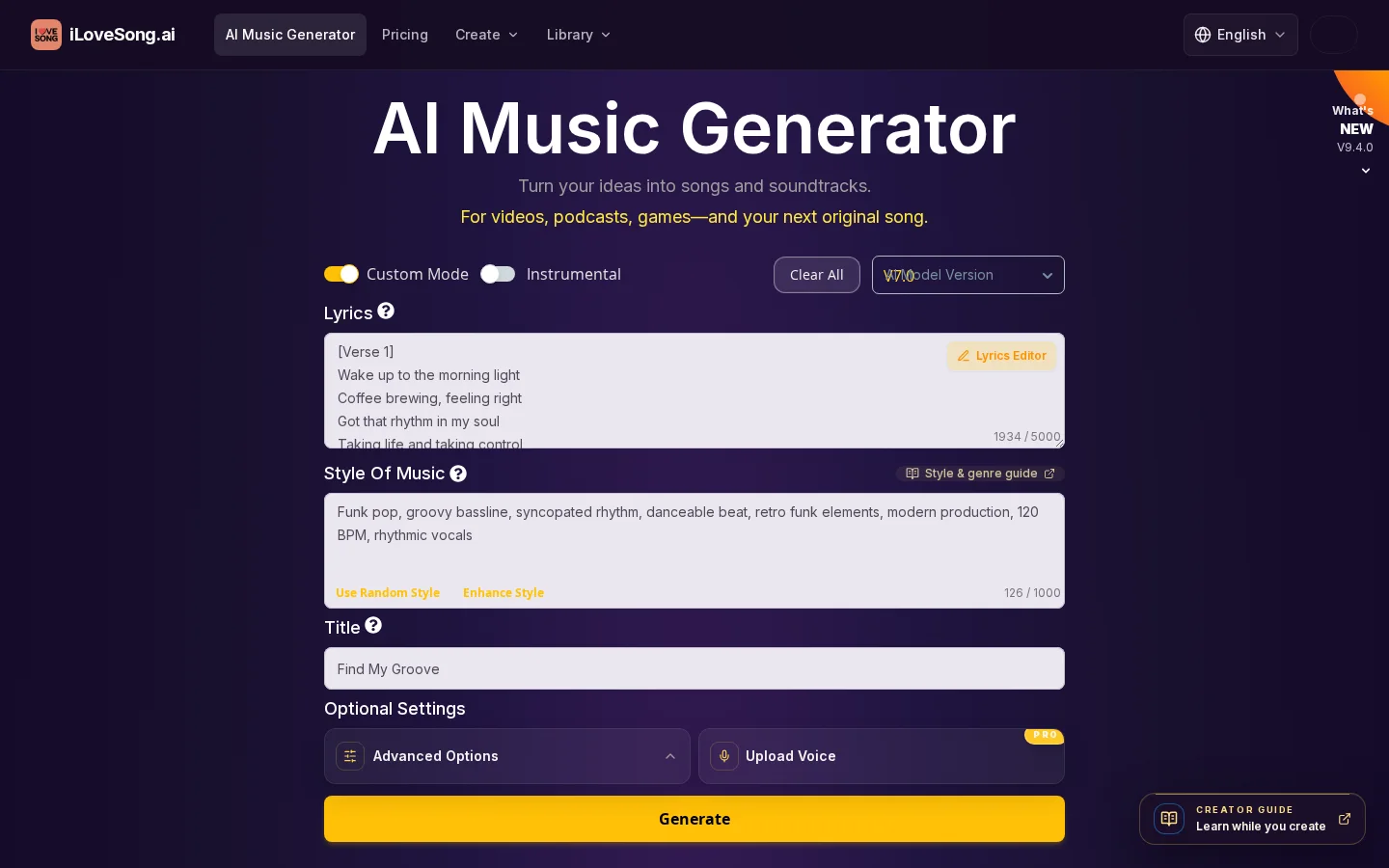
What is SongAI?
SongAI is an AI music-generation system launched by iLoveSong.ai, enabling one-click conversion of text prompts (such as style, emotion, or instruments) or user-written lyrics into full-fledged songs. It also supports uploading your own audio files (MP3/M4A, ≤50 MB) to add vocals, generate instrumental accompaniments, perform AI-powered intelligent remastering (Smart Refine), or create AI-style cover versions. Additionally, it can combine portrait audio to produce AI singer videos and export separated vocal tracks in MP3, M4A, WAV, and MP4 formats. The latest V9.4.0 introduces features like fade-in/fade-out controls, the Lyria 3.5 default model, and AI voice synthesis options—including ASMR and bedtime stories—continuously optimizing creative music workflows.
Key features
Supports uploading local songs to your personal music library, adding AI vocal performances (lyrics required) to selected segments, or generating AI instrumental accompaniments, and allows intelligent remastering via natural-language commands (AI Smart Refine).
Provides AI singer video generation: first create a song using SongAI, then use the MP4 download feature to automatically generate an AI music video with synchronized animation.
Use cases and audience
Video creators, game developers, educators, music producers, and content creators who need custom background music.
- For creating soundtracks and audio tracks for videos, podcasts, games, and original song compositions.
- Upload your own music and add AI-generated vocals or instrumental accompaniment
- Instantly generate a complete song from text descriptions or lyrics, suitable for advertisements, short videos, or special occasions
Text prompts (style/emotion/instruments), your own lyrics, local audio files (MP3/M4A, ≤50 MB), portrait images and audio (for AI singer videos).
MP3/M4A/WAV audio files, MP4 music videos (including AI singer videos—limited to 60 seconds in the basic version and 120 seconds in the advanced version), separated vocal tracks, and AI remastered versions (including Covers and Smart Refine).
Frequently asked questions
What kinds of content can I create using iLoveSong.ai?
iLoveSong.ai can convert text descriptions or original lyrics into songs, supports creating instrumental tracks, and allows you to upload audio files to add AI-generated vocals or instrumental accompaniment. It can also synthesize a video of an AI singer by combining your portrait with the audio.
Can the AI-generated music be used commercially?
The commercial usage rights for AI-generated music depend on the subscription plan: the Premium plan (annual/quarterly) includes lifetime commercial licensing; the Basic monthly plan does not explicitly specify commercial permissions.
How to use
- 01
Input descriptions of musical style, mood, instruments, or directly provide lyrics
- 02
Select a model (such as Lyria 3.5) and set the duration (60/120/180 seconds) along with the file format (MP3/WAV)
- 03
After generation, listen to a preview; adjust the prompt based on the results and regenerate if needed
- 04
Save the track to “My Music,” and download files in MP3/M4A/WAV/MP4 formats according to your subscription plan
Pricing and availability
Pricing is based on credits: Lyria 3.5 defaults to consuming 2 credits per generation, supporting outputs of 60/120/180 seconds; AI voice generation costs 2 credits per version; fade-in/fade-out features are free for paying members. The Basic monthly plan at $14.80 includes 100 credits (approximately 200 songs), the annual plan at $88 includes 1,200 credits (about 2,400 songs), and the quarterly plan at $35 includes 300 credits (around 600 songs). All plans support generating songs up to 8 minutes long and exporting in MP3/M4A/WAV/MP4 formats (including vocal separation).
- Pricing source
- https://ilovesong.ai/
- Pricing last updated
- 2026-10-28
Prices and limits may change. Check the official website for current terms.
Official website & sources
Updated on 2026-10-29
