

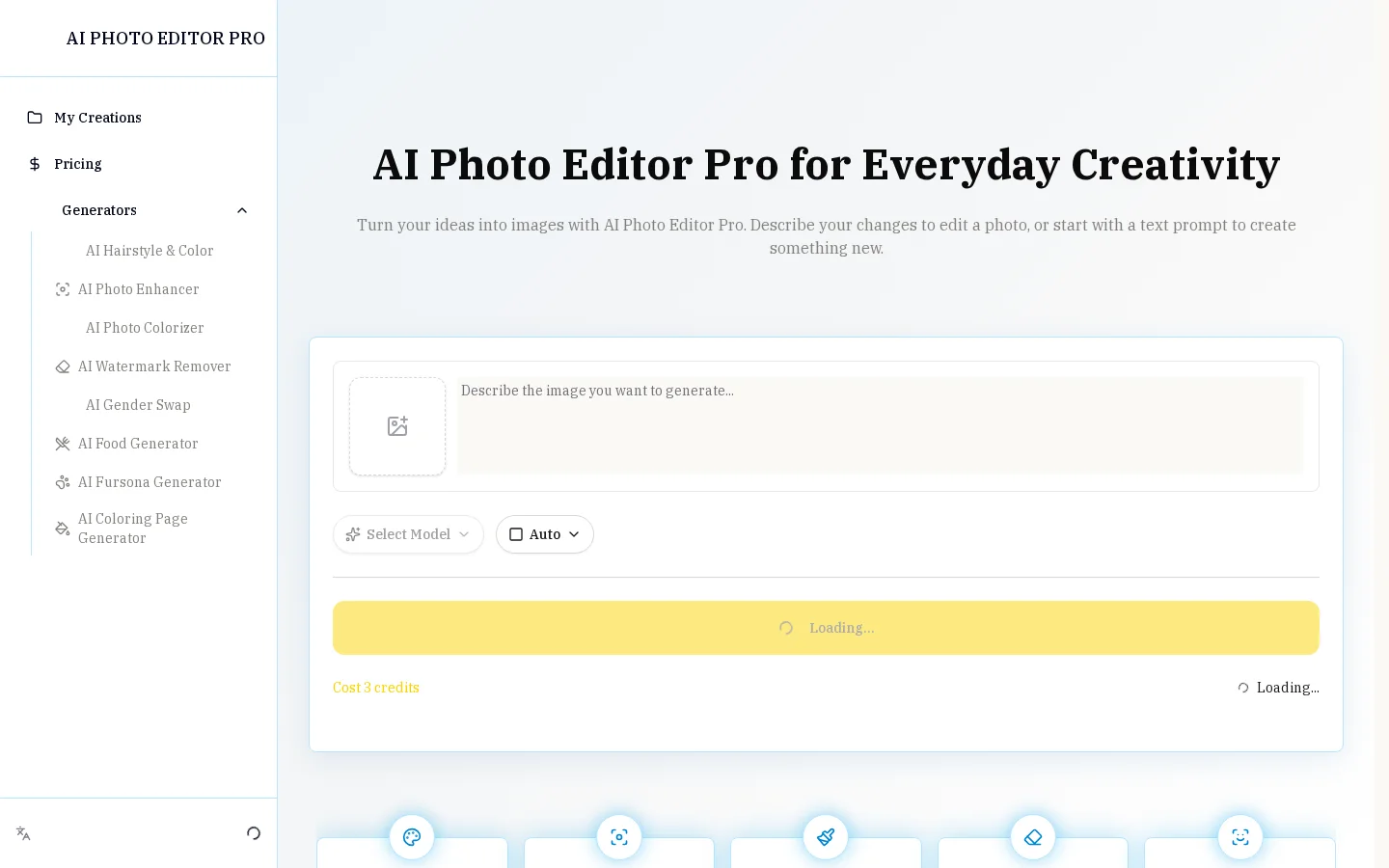
What is AI Photo Editor Pro?
AI Photo Editor Pro is tailored for creators, entrepreneurs, students, and general users, enabling effortless enhancement of photo quality or creation of entirely new visual content without specialized image-editing expertise. Users simply upload an image, describe desired edits in everyday language—such as changing hairstyles or hair colors, fixing blurry details, adding color to black-and-white photos, removing watermarks, or altering gender presentation—and then adjust parameters before generating results. If the initial output doesn’t meet expectations, users can further refine their prompts by tweaking specific details—like background color, facial expressions, or lighting direction—and regenerate the image for efficient iteration. The tool emphasizes preserving critical elements from the original image, such as human faces, product shapes, text, and composition, ensuring that edited results look natural and authentic.
Key features
AI Hair Style and Color Editor: Experiment with a variety of new hairstyles and hair colors while preserving the natural appearance of facial features.
AI Photo Enhancer: Sharpen blurry photos, restore details, and enhance clarity in just seconds.
Use cases and audience
Designed for creators, entrepreneurs, students, and everyday users, this tool lets you improve photo quality and boost creativity without requiring professional image-editing skills.
- Transform ordinary product photos into polished visuals suitable for e-commerce platforms, social media, and promotional campaigns, allowing adjustments to scenes, lighting, and presentation styles—all while keeping the product’s shape, material, color, and brand identity intact.
- Restore blurry, aged, or detail‑missing photos to regain clarity and natural texture, while preserving facial features, original textures, and the photo’s overall mood.
- Add simple edits to travel, family, and celebration photos—such as removing distracting elements, restoring old images, refining composition, or exploring creative variations—while maintaining personal details.
Supports uploading photos or plain-text prompts; multiple reference images can be attached, with each image’s purpose clearly specified in the prompt—such as identity, clothing, composition, color scheme, or style reference.
Generates images that meet your specified requirements, supporting various aspect ratios (e.g., 1:1, 16:9, 4:5), while maintaining consistency in key elements like human faces, product shapes, and original compositions.
Frequently asked questions
Is AI Photo Editor Pro free to use?
You can open the editor and try out its features for free, but generating images requires credits; the number of credits needed will be displayed before each generation, and additional credits must be purchased through the pricing page.
Are there any limits on the number of generations?
There is no fixed limit on the number of generations; the total number of images you can generate depends on your available credits, the selected generation mode, and the resolution. The required credits will always be clearly indicated before each generation.
How to use
- 01
Upload a clear photo as your starting point, ensuring the subject is visible and key details are neither cropped nor obscured.
- 02
Use concise, specific language to describe what you’d like to modify, clearly indicating which parts should change and which aspects—such as subject, style, color, or composition—should be preserved.
- 03
Choose output aspect ratios (e.g., 1:1, 16:9, or 4:5), the number of generated images, and other settings to suit social media, banners, print, or other use cases.
- 04
After generating the image, review the results and download the version you’re satisfied with. If adjustments are needed, simply tweak one detail in your prompt—such as background color, expression, or lighting direction—and regenerate.
Benefits and limitations
Benefits
- No professional design skills required—edit with simple prompts
- Supports both photo editing and brand-new image generation
- Provides specialized tools for photo enhancement, colorization, watermark removal, hairstyle changes, and gender transformation
- Retains key facial features, poses, products, brand elements, and scene details
- Supports multiple reference images and visual blending for creative compositions
- Allows control over aspect ratios and resolutions
- Monthly plans grant access to all models and unlock all resolutions
Limitations
- Image generation requires the consumption of credits
- The specific free generation quota is not clearly specified.
- The generation results depend on whether the prompt is clear and highlights the key points.
- To achieve the desired outcome, AI editors may need to make multiple adjustments.
- The provided information does not detail the pricing for annual plans or one-time credit packages.
Pricing and availability
300 credits per month; access to all models; unlocks all resolutions; capable of generating approximately 100 images per month; credits reset monthly.
1,000 credits per month; access to all models; unlocks all resolutions; up to approximately 333 images generated; credits reset monthly
3,000 credits per month; access to all models; unlocks all resolutions; up to approximately 1,000 images generated; credits reset monthly
Image generation is billed by credit, with the exact number of credits required displayed in real time prior to generation. Additional credits can be purchased separately via the pricing page.
- Pricing source
- https://aiphotoeditorpro.com/
- Pricing last updated
- 2026-10-27
Prices and limits may change. Check the official website for current terms.
Official website & sources
Updated on 2026-10-27

