

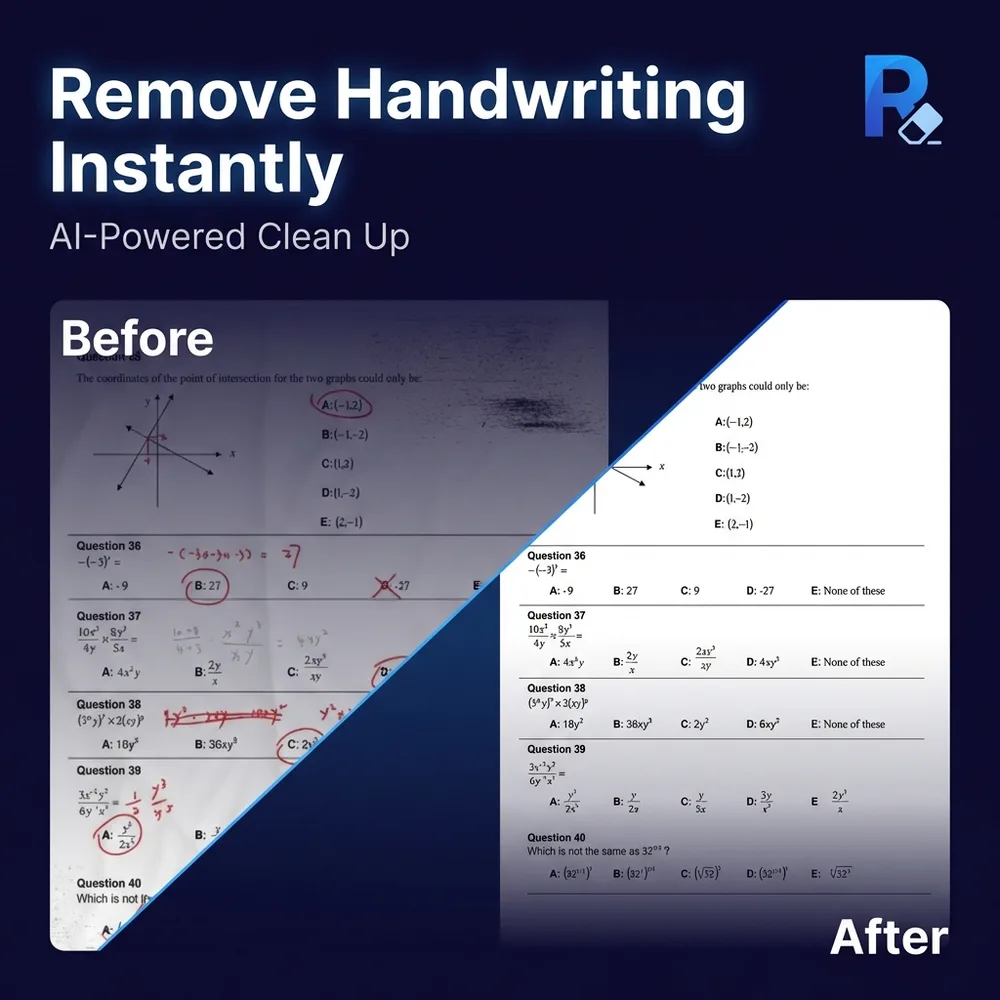
What is RemoveHandwriting?
Remove Handwriting is an AI-powered document-cleaning tool that removes handwritten notes, annotations, and signatures from images, PDFs, and scanned documents, while maintaining printed content, page layouts, original colors, and the integrity of text and graphics. It features automatic cropping, perspective correction, shadow enhancement, and restoration of aged documents. Compatible with JPG, JPEG, PNG, and PDF formats, it offers three processing modes—Standard, Color, and Ultra—tailored to ordinary scanning, color fidelity, and challenging handwritten-overlays, respectively. It supports single-page image cleanup, selective multi-page PDF processing, and batch API calls. A free trial is available (no credit card required), including one free test run (limited to one image or one PDF page); preview results cannot be downloaded, but high-quality cleaned files can be exported after payment.
Key features
You can selectively choose specific areas or pages to erase handwriting, while leaving other handwritten content intact—perfect for localized cleanup needs. For example, you can remove only the handwritten marks on signed pages in a PDF while keeping the rest of the page unchanged.
Three processing modes are available: Standard, Color, and Ultra. Standard mode is ideal for quick scanning-type cleanups; Color mode preserves the original color information; and Ultra mode handles densely written, low-contrast, or complex-background documents, delivering deep erasure and restoration of document structure.
Use cases and audience
Teachers, students, small business owners, archivists, operations coordinators, graduate students, exam tutors, project managers, office administrators, and research assistants
- In the education sector, students can erase handwritten content from exam papers to produce clean copies.
- Cleaning files with erroneous handwritten content in business scenarios
- Fixing old documents and removing unwanted handwritten annotations in document management
Supports JPG, JPEG, and PNG image formats as well as PDF documents; PDF processing allows page selection; batch processing supports uploading multiple images at once.
Outputs cleaned images or PDFs, retaining printed text, tables, charts, and page layouts, while correcting shadows, skew, curled edges, and background noise. Three processing modes are supported: Standard (standard scanning-style cleanup), Color (preserves original colors), and Ultra (deep handwriting removal and document restoration).
Frequently asked questions
How can handwritten content be removed from images?
Simply take a photo of the document and upload it to removehandwriting.com; the AI will automatically detect and remove handwritten marks, allowing you to download a clean, mark-free image in seconds.
What scenarios are suitable for the handwritten content removal feature?
Suitable for educational settings (such as erasing handwritten content from exam papers to produce clean copies), business applications (cleaning up documents containing erroneous handwritten entries), and document management (restoring old documents and removing handwritten annotations).
How to use
- 01
Photographing or scanning documents containing handwritten text
- 02
Uploading to removehandwriting.com
- 03
Waiting for the AI processing to complete
- 04
Downloading the cleaned image or PDF
Pricing and availability
Free trial: A single credit is granted upon first registration; previewing one Ultra-mode image requires no login, though trial results cannot be downloaded or printed. This trial quota applies equally to single-image, PDF, and batch tools (limited to one image or one PDF page). Paid subscriptions include a rolling pool of credits that can be used over time, while purchased credits never expire. You can also earn free credits by watching ads or referring friends—each successful referral earns you 3 credits.
- Pricing source
- https://removehandwriting.com/
- Pricing last updated
- 2026-10-30
Prices and limits may change. Check the official website for current terms.
Official website & sources
Updated on 2026-10-30

